> ## Documentation Index
> Fetch the complete documentation index at: https://docs.istudix.app/llms.txt
> Use this file to discover all available pages before exploring further.
# Create and Study Flashcards with iStudix AI
> How to generate flashcards from your study materials in iStudix, rate your confidence, use keyboard shortcuts, and bookmark cards for later review.
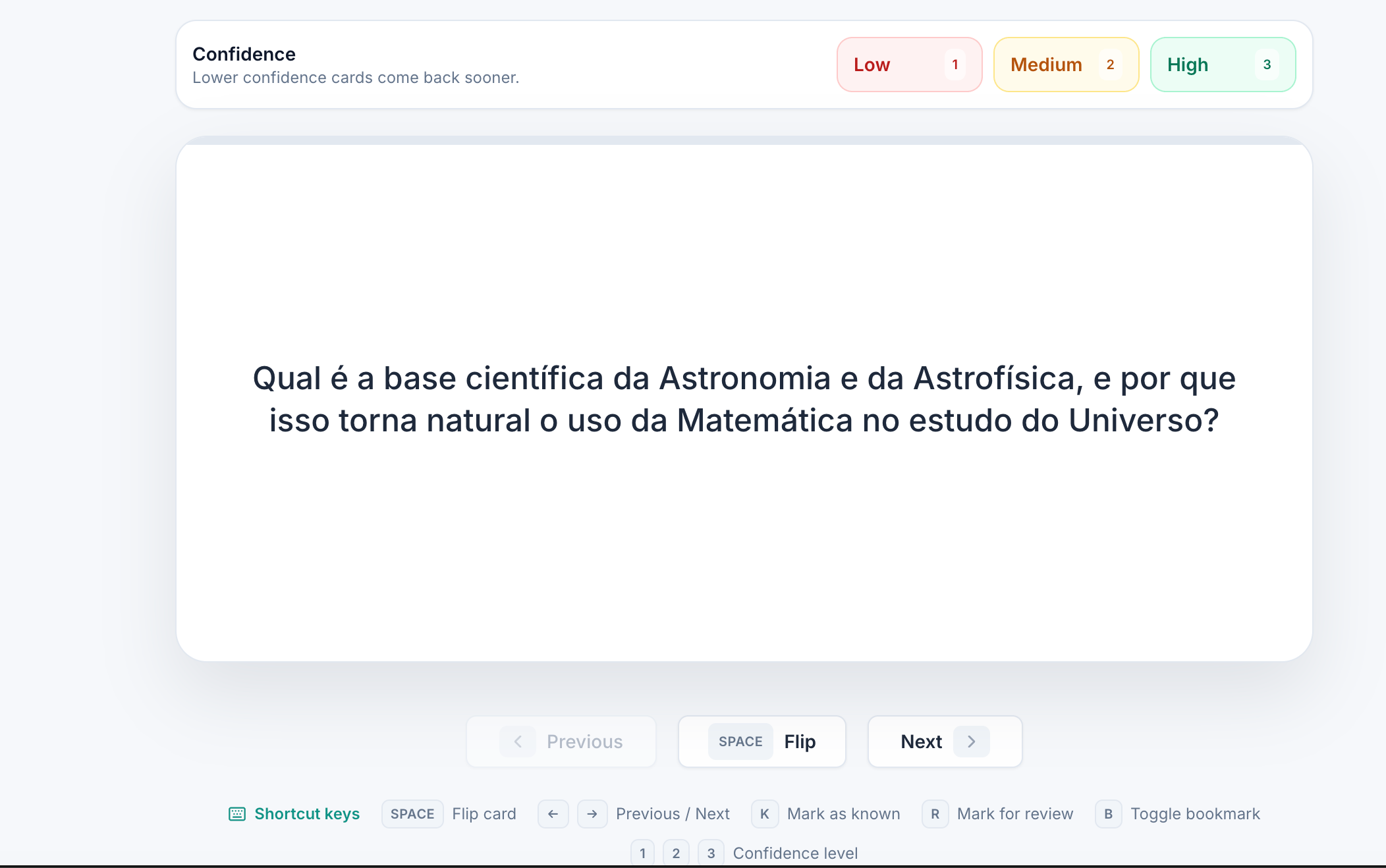
iStudix turns your uploaded study materials into flashcards automatically. As you study, rate your confidence on each card: lower confidence cards come back sooner, so you spend more time on what you don't know yet.
 ## Create flashcards
Open a [notebook](/using-istudix/notebooks) that contains the material you want to study. If you haven't added it yet, [upload it](/using-istudix/upload-materials) first.
Choose **Flashcards** and let iStudix generate cards from your content.
## Study your flashcards
Try to recall the answer before you flip the card.
Click **Flip** (or press `Space`) to see the answer.
Choose **Low**, **Medium**, or **High**. Cards you rate lower come back sooner.
Click **Next** to continue, or **Previous** to go back.
## Keyboard shortcuts
| Key | Action |
| - | - |
| `Space` | Flip card |
| `←` / `→` | Previous / Next card |
| `K` | Mark as known |
| `R` | Mark for review |
| `B` | Toggle bookmark |
| `1` / `2` / `3` | Confidence level: Low / Medium / High |
Review flashcards a little every day. Short, frequent reviews help you remember more than one long session.
## Related articles
* [Practice with quizzes and exams](/using-istudix/quizzes-and-exams)
* [Ask the AI Tutor about your notebook](/using-istudix/notebooks)
* [Track your learning progress](/using-istudix/progress)
This documentation is built and hosted on [Mintlify](https://mintlify.com), a developer documentation platform.
## Create flashcards
Open a [notebook](/using-istudix/notebooks) that contains the material you want to study. If you haven't added it yet, [upload it](/using-istudix/upload-materials) first.
Choose **Flashcards** and let iStudix generate cards from your content.
## Study your flashcards
Try to recall the answer before you flip the card.
Click **Flip** (or press `Space`) to see the answer.
Choose **Low**, **Medium**, or **High**. Cards you rate lower come back sooner.
Click **Next** to continue, or **Previous** to go back.
## Keyboard shortcuts
| Key | Action |
| - | - |
| `Space` | Flip card |
| `←` / `→` | Previous / Next card |
| `K` | Mark as known |
| `R` | Mark for review |
| `B` | Toggle bookmark |
| `1` / `2` / `3` | Confidence level: Low / Medium / High |
Review flashcards a little every day. Short, frequent reviews help you remember more than one long session.
## Related articles
* [Practice with quizzes and exams](/using-istudix/quizzes-and-exams)
* [Ask the AI Tutor about your notebook](/using-istudix/notebooks)
* [Track your learning progress](/using-istudix/progress)
This documentation is built and hosted on [Mintlify](https://mintlify.com), a developer documentation platform.