> ## Documentation Index
> Fetch the complete documentation index at: https://docs.istudix.app/llms.txt
> Use this file to discover all available pages before exploring further.
# Create and Organize Notebooks in iStudix
> Learn how to create notebooks in iStudix, add study materials, take notes, and ask the AI learning assistant questions about your content.
Notebooks are where you study in iStudix. Create a notebook for each subject or course, add your uploaded materials, and use the AI assistant to ask questions, get explanations, and review key points.
## Create a notebook
From your dashboard, click **Notebooks**.
Click to create a new notebook and give it a clear name, such as "Biology 101" or "Exam prep".
Enter the date of your exam. iStudix adds it to your [Calendar](/using-istudix/calendar) automatically, so it appears in **Upcoming events**.
Add materials you've [uploaded](/using-istudix/upload-materials) to the notebook.
## Study with the AI Tutor
The **AI Tutor** answers questions using your notebook's materials. Your full notebook is always the context, so answers come from your own documents.
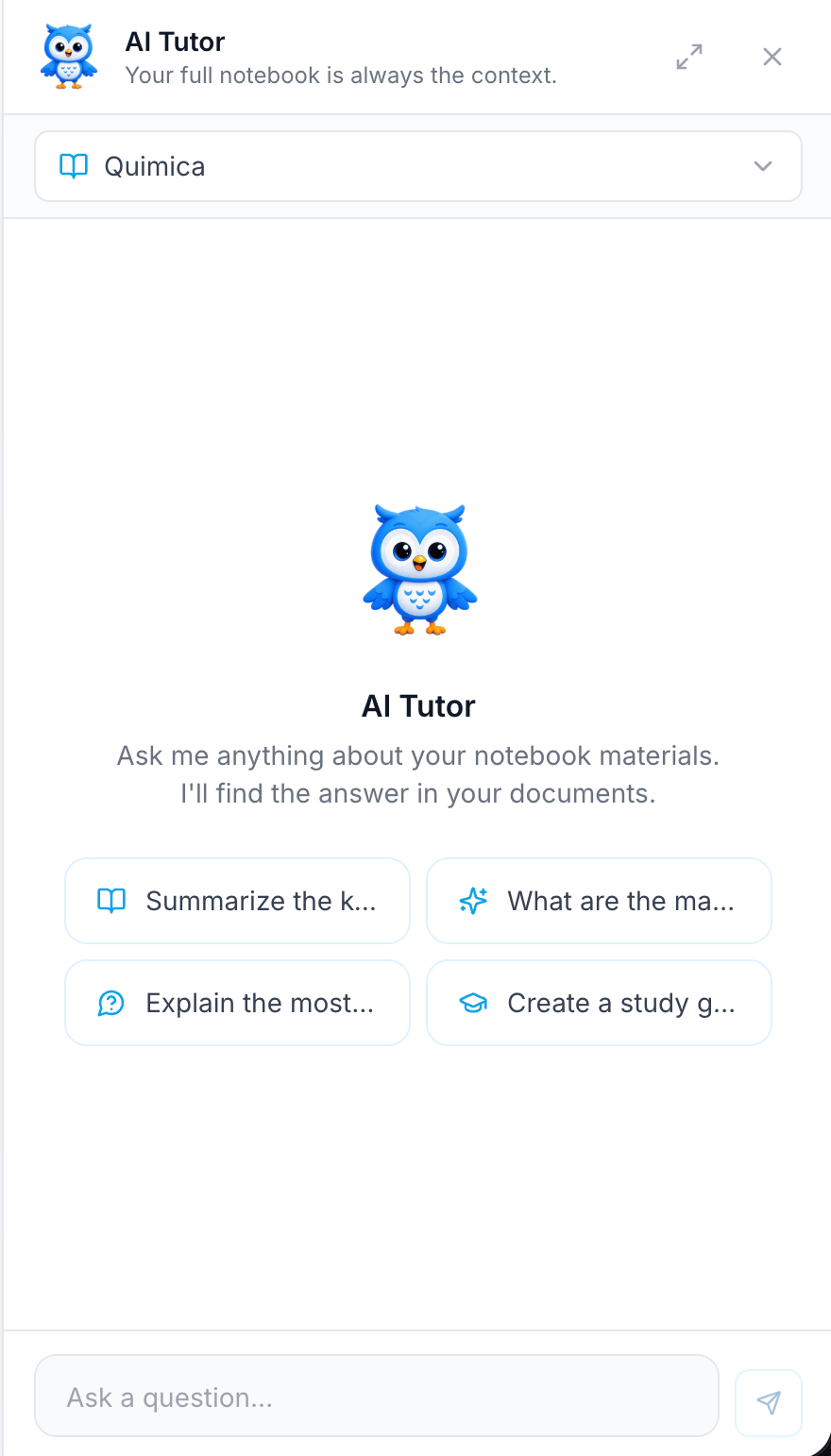 Open the **AI Tutor** panel. Click the expand icon to make it larger.
Use the dropdown at the top to pick the notebook you want to ask about.
Type in **Ask a question...** and send it, or click a suggested prompt such as summarizing key points or creating a study guide.
Example questions:
* "Summarize the main ideas of this chapter."
* "Explain this concept in simpler terms."
* "Create a study guide for this notebook."
Keep one notebook per subject. The assistant gives more focused answers when a notebook contains related materials.
## Related articles
* [Upload your study materials](/using-istudix/upload-materials)
* [Plan study sessions with the calendar](/using-istudix/calendar)
* [Track your learning progress](/using-istudix/progress)
This documentation is built and hosted on [Mintlify](https://mintlify.com), a developer documentation platform.
Open the **AI Tutor** panel. Click the expand icon to make it larger.
Use the dropdown at the top to pick the notebook you want to ask about.
Type in **Ask a question...** and send it, or click a suggested prompt such as summarizing key points or creating a study guide.
Example questions:
* "Summarize the main ideas of this chapter."
* "Explain this concept in simpler terms."
* "Create a study guide for this notebook."
Keep one notebook per subject. The assistant gives more focused answers when a notebook contains related materials.
## Related articles
* [Upload your study materials](/using-istudix/upload-materials)
* [Plan study sessions with the calendar](/using-istudix/calendar)
* [Track your learning progress](/using-istudix/progress)
This documentation is built and hosted on [Mintlify](https://mintlify.com), a developer documentation platform.